Stop reviewing 3% of calls. Review all of them.
Manual QA teams cover 2 to 5% of calls. Tough Tongue AI covers 100%, automatically scored against your rubric, with structured data extracted from every session.
AI Quality Auditor
Analyzing Call Recording
8.4/ 10
Score calculated
100%
Call coverage (vs 2-5% manual)
0
Blind spots in your data
< 5 min
From recording to scored report
Triage every call automatically
Every session is scored 1 to 10. Your team only touches the calls that need a human eye.
1 - 4
Flag for review
Sent to a human QA reviewer. These are the calls with compliance risk, missed scripts, or significant coaching opportunities.
5 - 7
Acceptable
Logged and tracked. Rep gets automated feedback. No immediate human review needed unless a pattern emerges over time.
8 - 10
High performers
Flagged as top-performer recordings. Archive these as training material and use them to auto-generate new practice scenarios.
How it works
Upload recordings via API
POST recordings (MP3/WAV/M4A/MP4/WebM) or transcripts to our REST API. Works with any telephony platform, CRM, or call recorder you already use. Batch upload historical recordings, tag with metadata, and retrieve scored results programmatically.
View API DocumentationPOST /api/public/v2/session
Host: app.toughtongueai.com
{
"scenario_id": "your-scenario-id",
"recording_url": "https://storage.example.com/calls/call-123.mp3",
"user_email": "rep@company.com",
"metadata": {
"team": "east-coast",
"campaign": "q1-2026"
}
}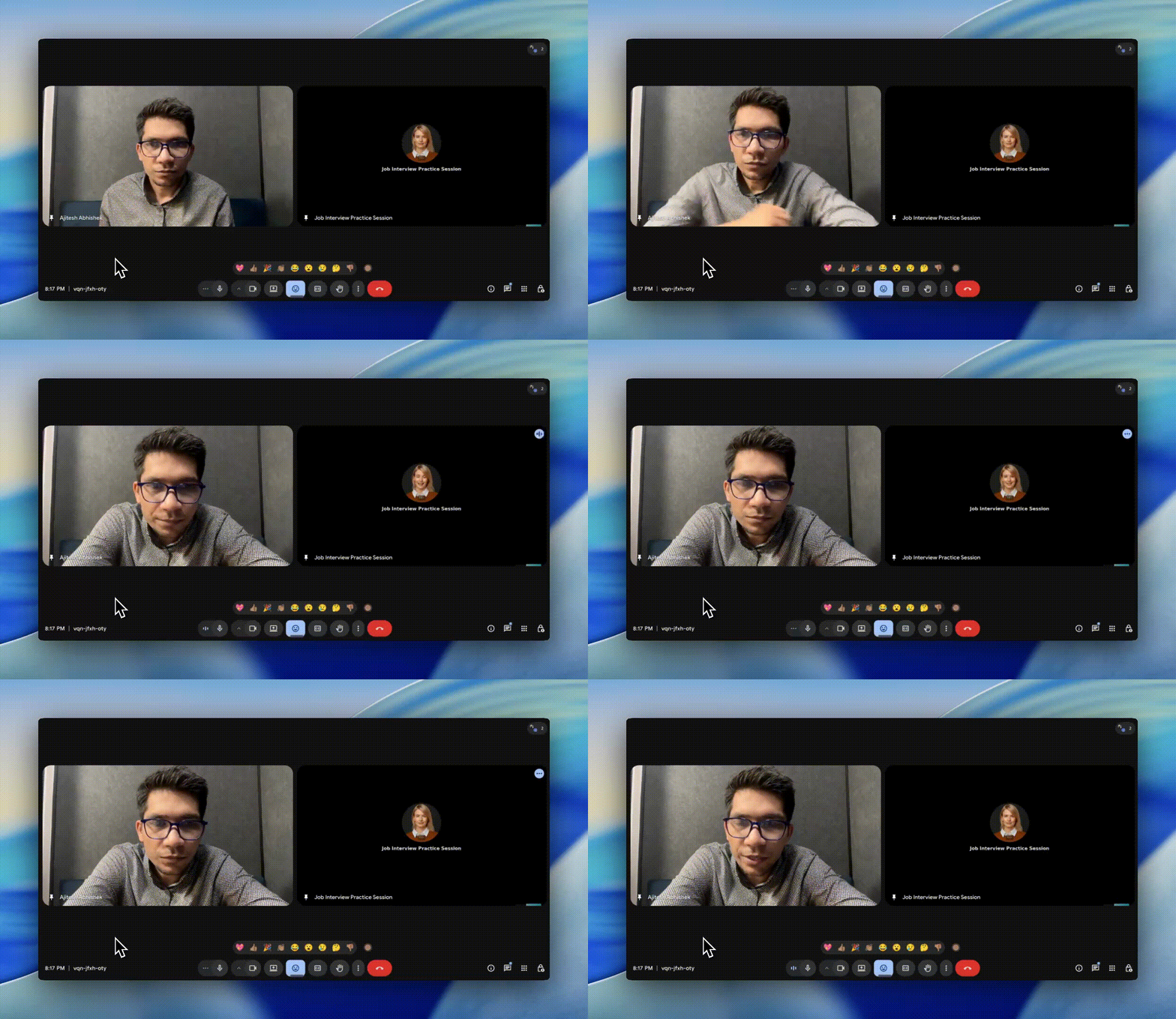
Or deploy the Note Taker bot
Invite the Tough Tongue AI bot to join your Google Meet or Zoom sessions. It listens, captures the conversation, runs your QA rubric, and delivers a scored report automatically.
- Works with Google Meet
- Works with Zoom
- Automatic post-call scoring
- Zero extra steps for reps
Triage and coach from scored results
Every session is scored and logged in your organization dashboard. See rep scores side by side, drill into individual sessions, filter by team or campaign, and export everything as CSV. Reps receive automated coaching feedback with criteria-level breakdowns.
View Analytics Dashboard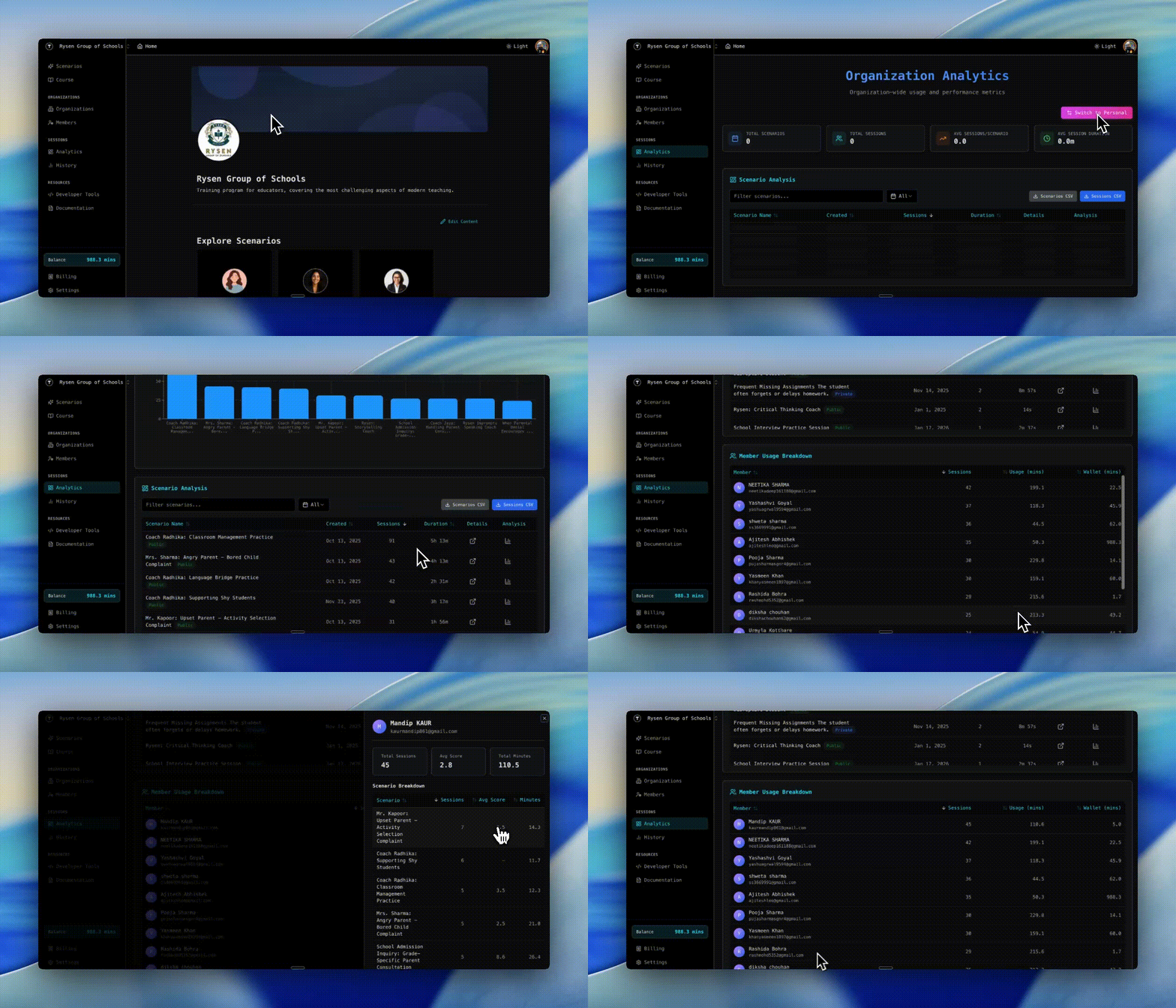
Extract structured data from every call
Configure extraction_vars in your scenario to pull specific fields from every session. Use them for filtering, dashboards, and automated triage.
{
  "extraction_vars": [
    {
      "name": "customer_sentiment",
      "type": "list",
      "options": ["positive", "neutral", "negative"]
    },
    {
      "name": "objection_type",
      "type": "text"
    },
    {
      "name": "product_mentioned",
      "type": "boolean"
    },
    {
      "name": "compliance_language_used",
      "type": "boolean"
    }
  ]
}
Tools to get started
Frequently asked questions
Can this replace my existing QA team?
No, and it shouldn't. The goal is to free your QA team from listening to low-risk calls (scored 5 to 10) so they focus exclusively on flagged sessions (scored 1 to 4). You get 100% coverage with human attention concentrated where it matters most.
What audio and video formats does the API accept?
The API accepts MP3, WAV, M4A, MP4, and WebM. You can also submit raw transcripts as text if you already have a transcription pipeline. Both recording_url and transcript fields are supported in the same endpoint.
How do I triage high-risk calls automatically?
Configure extraction_vars in your scenario to pull structured fields from every call: customer sentiment, product mentioned, objection type, compliance language used. Your backend can then filter and prioritize based on these extracted values alongside the numeric score.
What's the Note Taker bot and how does it work?
The Note Taker is an AI bot that joins your live Google Meet or Zoom calls automatically. It captures the conversation, runs your QA rubric against it in real time, and delivers a scored report without anyone on your team having to listen to the recording.
Do reps get individual coaching from audit results?
Yes. Each scored session includes a rep-facing report with criteria-level breakdowns, transcript citations, and specific suggestions for improvement. Reps can review their own performance without needing manager involvement.
Is there a way to batch upload historical recordings?
Yes. The bulk processing endpoint accepts batched uploads with metadata tagging (e.g. team, campaign, date range) so you can process weeks of historical calls and filter results by any dimension you care about.
Stop guessing what's happening on your calls
100% call coverage, automated triage, and rep coaching, all from one platform.